Ncdu friendly listing of directory occupancy
Thanks to the Ncdu command, we will quickly find out which directory is the most consuming on the disk.
It is a great alternative to the du command. Thanks to Ncdu, we can find the largest directory on the disk much faster.
To install Ncdu on ubuntu / Debian systems issue the command:
1 | sudo apt install ncdu |
To install Ncdu on CentOS systems issue the command:
1 | yum install ncdu |
Launching the program is very easy, just type in the console:
ncdu
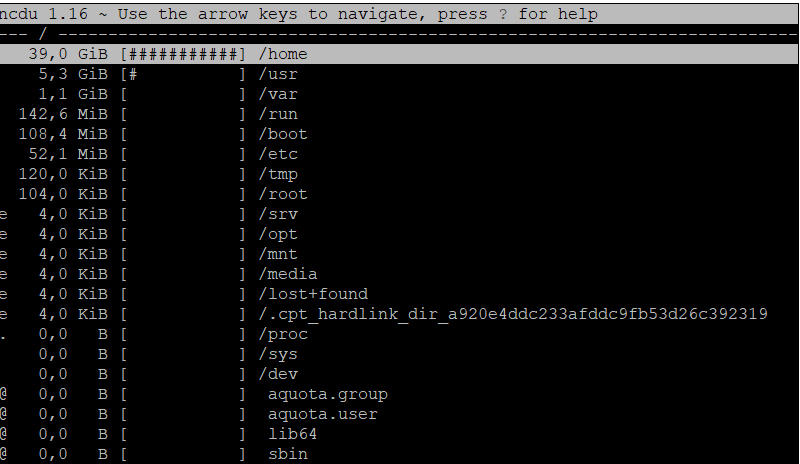
The program will calculate the greatest occupancy for us as in the screenshot: