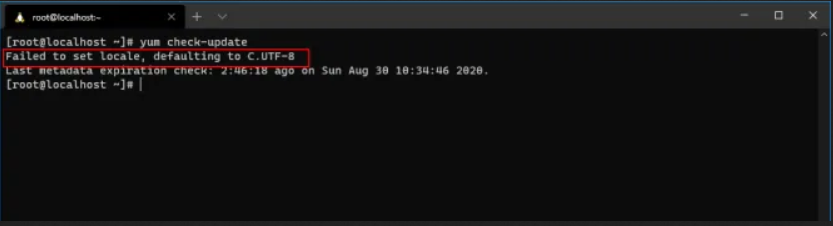
Failed to set locale, defaulting to C.UTF-8 Solution Centos 8
Here is a very simple way to fix Failed to set locale error, defaulting is C.UTF-8 which I noticed on the Centos system 8
We will do the whole thing by logging into the console and issuing one command.
We log on to the console and issue the command:
1 | dnf install langpacks-pl glibc-all-langpacks -y |
That's all!
For other languages, if we do not use Polish, change from langpacks-pl na np langpacks-es, langpacks-gb e.t.c.
Related entries:
Things to do after installing Ubuntu 20.04
Installing Oracle Java 16 and Ubuntu 20.04, 18.04, 20.10
Complete removal of the queue e-mail with Exim
Full configuration of BIND and DNS on the new server
gconf-service gconf-service-backend gconf2-common libappindicator1 libc++1 libc++1-9 libc++abi1-9 libdbusmenu-gtk4 libgail-common libgail18 libgconf-2-4 libgtk2.0-0 libgtk2.0-bin libgtk2.0-commonAll-in-one voice and text chat for gamers
All-in-one voice and text chat for gamers that's free 20.04





