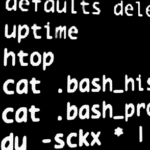
To clear history Bash in Linux
If you want to clear the history of commands executed on our server, we can do this in a very fast way.
The following command will remove the story so that bash.
1 | cat /dev/null > ~/.bash_history && history -c && exit |
What do these commands?
Komenda 'cat’ empties file .bash_history currently logged in user.
Command “history -c” clean the history for the current user session.
Command “exit” the current session ends.

Related entries:
ack -l DB_NAME
wp-config.php
wp-admin/setup-config.php
wp-config-sample.php
wp-content/plugins/litespeed-cache/src/db-optm.cls.php
wp-content/plugins/newsletter/system/status.php
wp-includes/load.php
wp-includes/ms-load.php
2 php versions on CentOS 8 z Apache i PHP-FPM
gconf-service gconf-service-backend gconf2-common libappindicator1 libc++1 libc++1-9 libc++abi1-9 libdbusmenu-gtk4 libgail-common libgail18 libgconf-2-4 libgtk2.0-0 libgtk2.0-bin libgtk2.0-commonAll-in-one voice and text chat for gamers
All-in-one voice and text chat for gamers that's free 22.04
Installation of Redis server in Debian 11
Cannot set LC_CTYPE to default locale: No such file or directory Debian / Ubuntu Solution!





